 Paddock
For Intel Macs, macOS 13 or later
Sites that just work.
Paddock is a local PHP and Laravel environment for Intel Macs. Install it, enter your password once, and every project folder is served at its own .test address, with PHP, databases, mail, logs and Xdebug already there.

$ curl -fsSL https://raw.githubusercontent.com/gowelle/paddock/main/Scripts/install.sh | bash
Free. Checks the download against the release's SHA-256, asks for no password, runs nothing as root. Other ways to install
Everything a PHP project needs, in one app.
A menu bar app, a background service and a paddock command. No Homebrew, no Docker, nothing else to install, and nothing asks you a question Paddock could answer itself.
Sites without set-up
Park a folder once and every project in it is served at <folder>.test. Laravel, WordPress and Symfony resolve the way you expect.
Trusted HTTPS
paddock secure blog serves a site over HTTPS with a certificate your Mac trusts. Browsers never complain.
PHP side by side
PHP 8.5 and 8.4 are built in. Each site can use its own version, and php and composer in your terminal follow the site you are in.
Services in one click
PostgreSQL, MySQL, Redis, Meilisearch, S3-compatible storage and a mail catcher. Each gives you the exact .env lines.
Xdebug when asked
One switch per PHP version. It loads only when a request asks for it, and your php.ini is never edited.
Tasks that stay up
A paddock.json keeps a project's queue worker, scheduler and websocket server running, once you approve it.
Working with an AI coding agent? paddock mcp lets it ask Paddock for a site's address, a database's port, the end of a log or the mail your app just sent, and make a few small changes for you. It cannot approve commands, remove anything or read your keys. How to set it up
See what your app is doing.
Three windows replace a browser tab, a terminal full of tail -f and a debug bar.
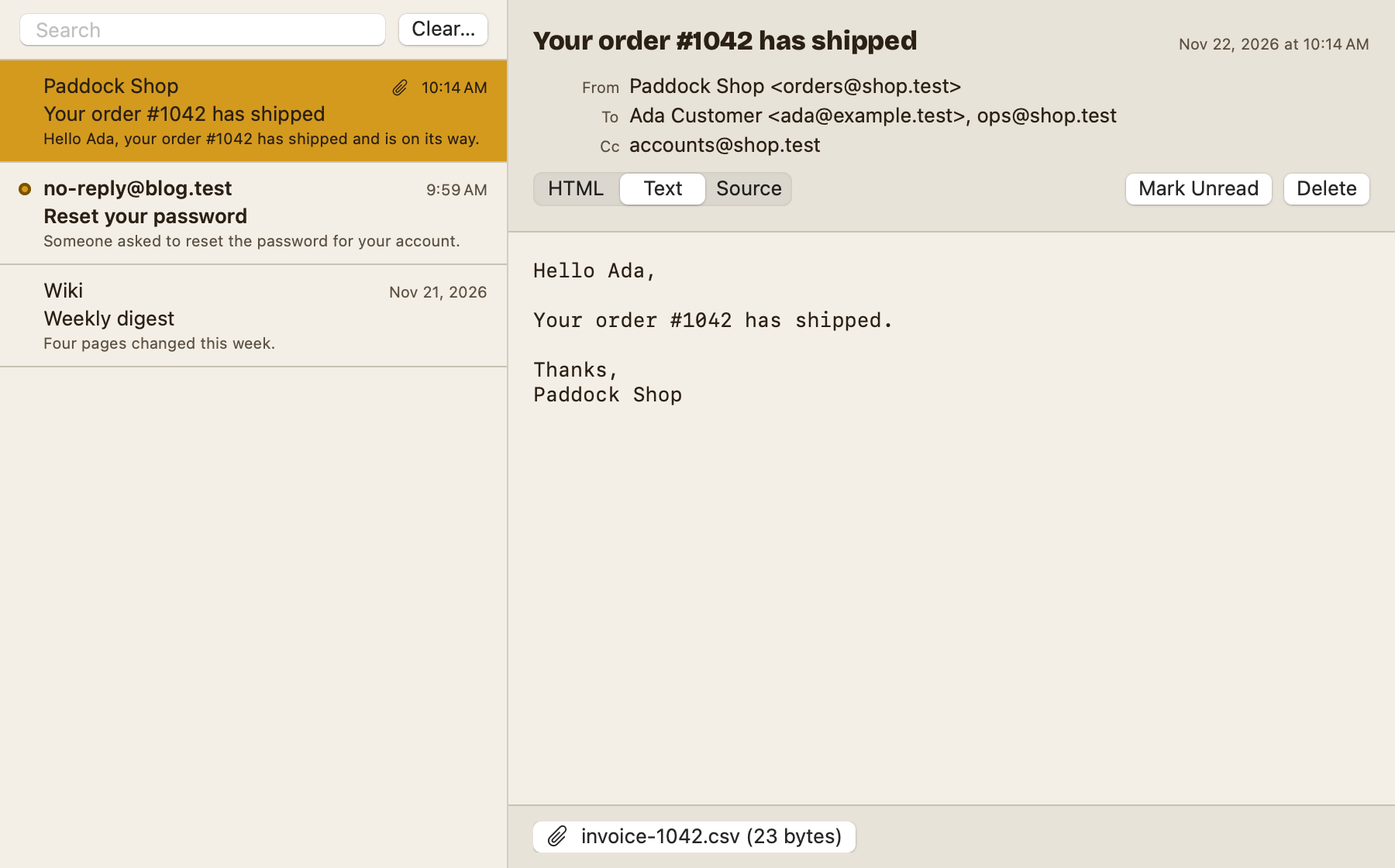
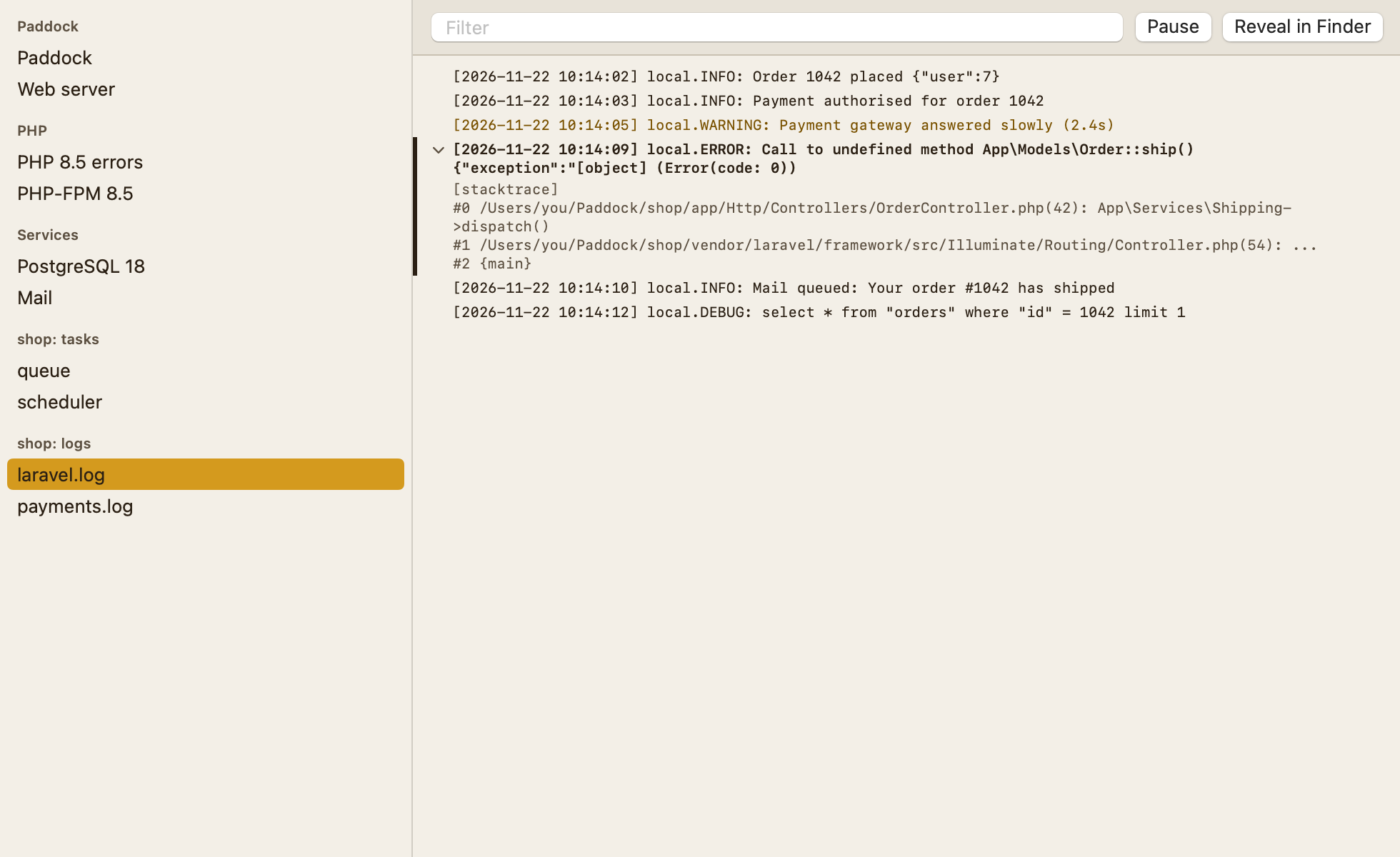
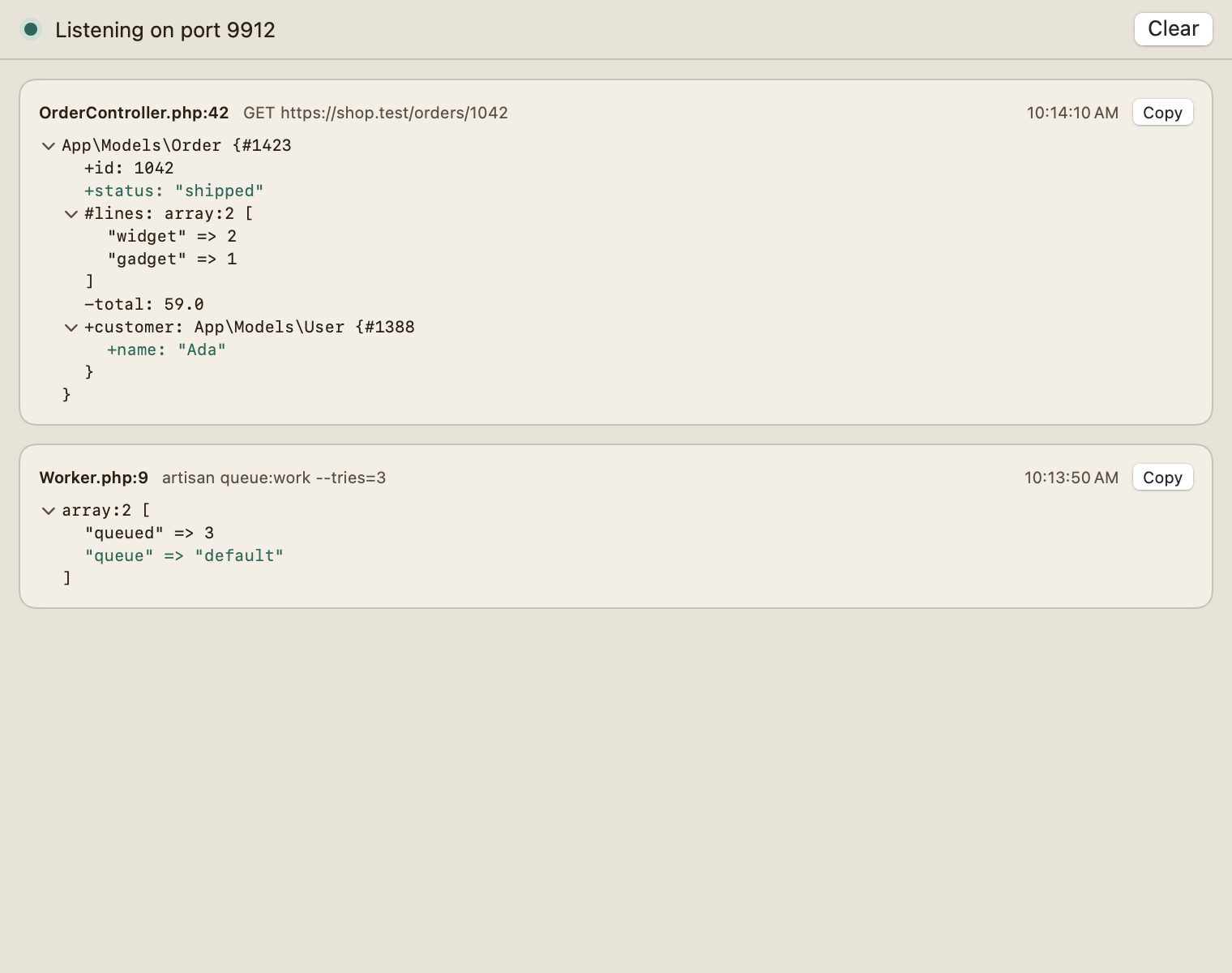
dump() and dd() from every site show here instead of in the page. Close it and they go back where they were.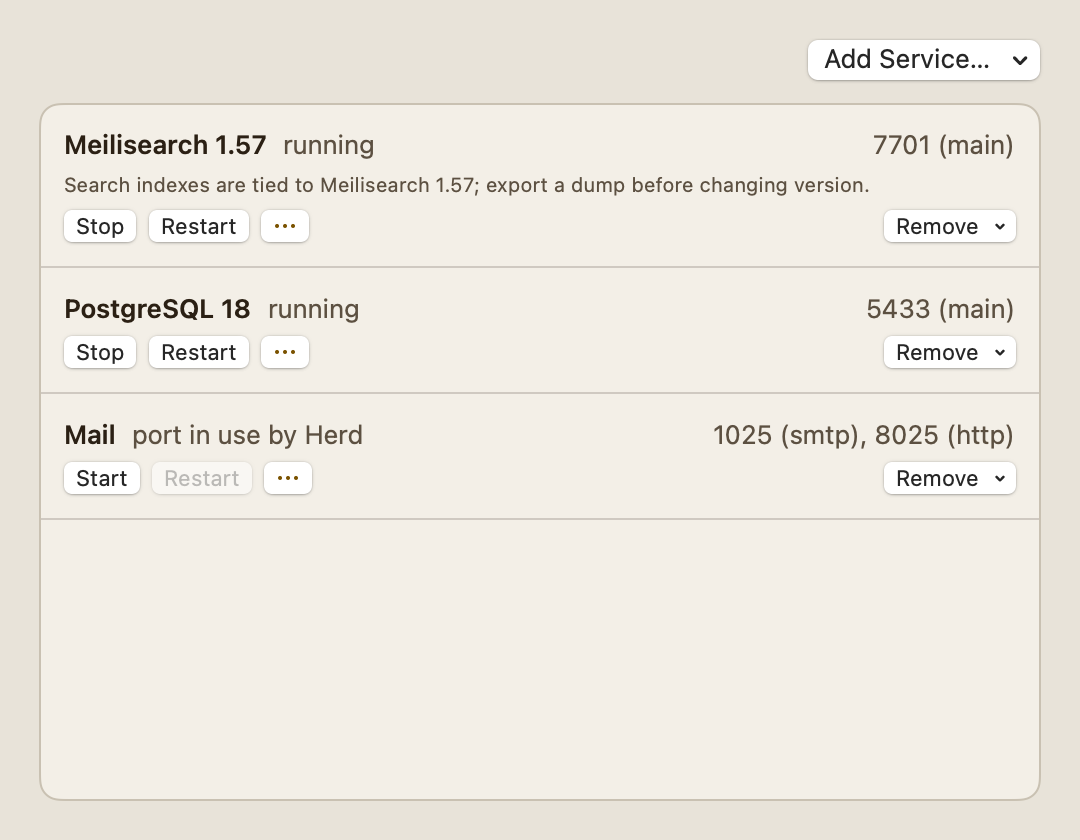
.env lines.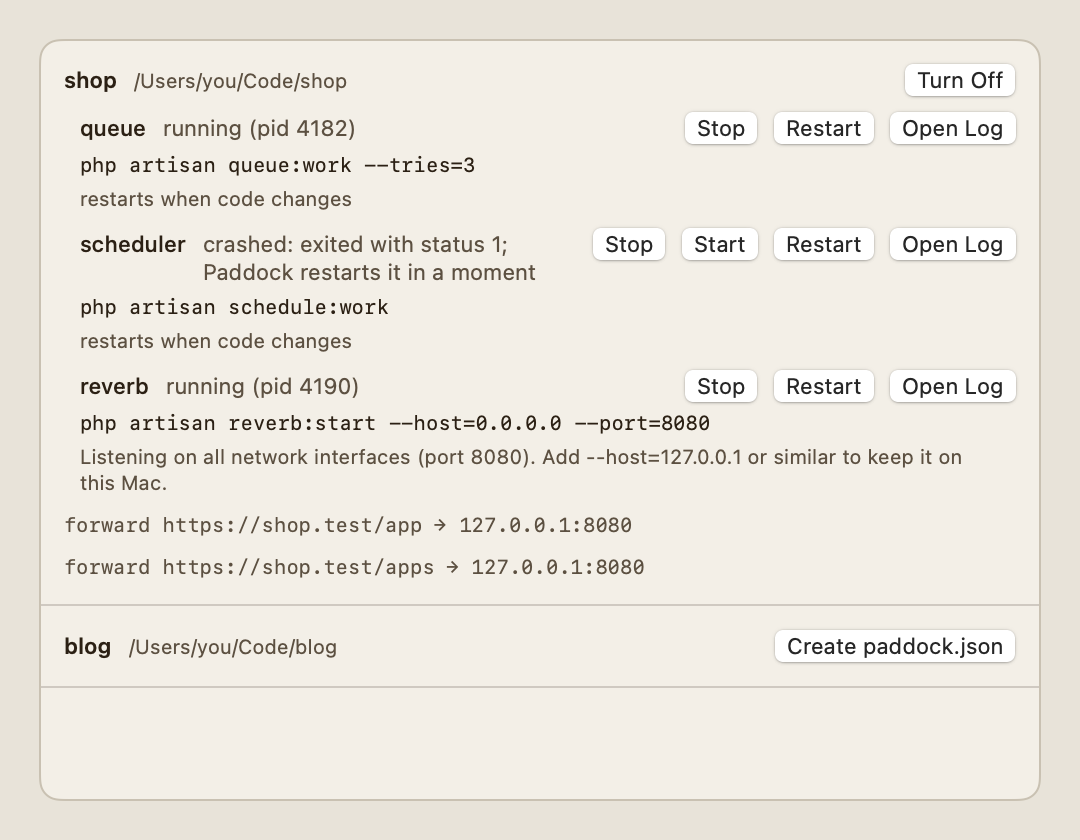
Up in three steps.
The first launch works offline: PHP, the web server and Composer are inside the app.
- InstallRun the command at the top of this page. Paddock opens and asks for your password once, to set up
.testaddresses. - Park your projects
paddock park ~/Sitesand every folder in it is a site.~/Sites/blogis nowblog.test. - Add what the app needs
paddock service add postgres, or pick it in Settings. Paste the.envlines it prints.
Questions.
Does it run on Apple Silicon?
No. Paddock is built for Intel Macs only, and the installer says so on other Macs.
Why Intel only?
That is who needs it. Laravel Herd no longer supports Intel Macs, and the alternatives mean Homebrew, Docker or a lot of set-up by hand.
Is it free?
Yes. Paddock is free to use. Its source is public so you can see what it does; it is not open source, and the licence says what you may do with it.
Why does macOS question it?
Paddock is not signed with an Apple Developer ID. The install command avoids the question; if you download the zip in a browser, allow it once in System Settings.
What does it change on my Mac?
One password prompt installs a .test DNS resolver and lets Paddock use ports 80 and 443. Nothing of Paddock's runs as root afterwards, and uninstalling puts it all back.
How does it update?
Paddock checks once a day and asks before installing. Updates are verified against a key built into the app, and your sites stay up while it updates.
Try it on your Intel Mac.
$ curl -fsSL https://raw.githubusercontent.com/gowelle/paddock/main/Scripts/install.sh | bash
Read why I built it · Read the documentation on GitHub · Report a problem or an idea